Visual Redesign and User Experience Improvements of Union Bank Mobile App
Overview
Union Bank is one of Nigeria's oldest and most respected financial institutions. Union Bank offers a wide range of banking products and services including retail banking, corporate banking, treasury services, trade finance, and asset management.
Union Bank has invested significantly in digital banking solutions to provide customers with convenient and seamless banking experiences. The union bank mobile banking app can be used for transferring money, buying airtime and data, paying of utility bills and so on.
Due the challenges faced by users, the Union bank mobile banking app needs to have a useable, user friendly and has good user experience.
Goal
- Improvement of the User interface and user experience.
- Improve the accessibility through research.
- Make the app more user friendly.
- Improve the app based on research and analysis.
Design Process

Problem
The Union bank mobile banking app is so frustrating to use. The problem faced on Union bank app is based of personal experience, user reviews on Playstore and Union bank customer. These problems hinder users ability to access conveniently, leading to frustration and dissatisfaction. Some of the issues faced by the users are similar.
These are some of the problem faced by users:
- The app goes black screen whenever they open it.
- Unable to download statement of account.
- Unable to Hide balance
- Bad User Experience.
- Poor User Interface
My Personal Experience
My personal experience while using the union bank mobile banking app as a customer has been less than satisfactory. My challenge with the mobile app are similar with that of other customers, as the user experience and user interface need to be improved. Whenever i opened the app there is a black screen that takes about 3 to 6 minutes load before i can get log in screen.
My experience made me hear from other users which i had meetings with. I understood their challenges when i worked on to improve the visual design and user experience of the union bank mobile banking app.
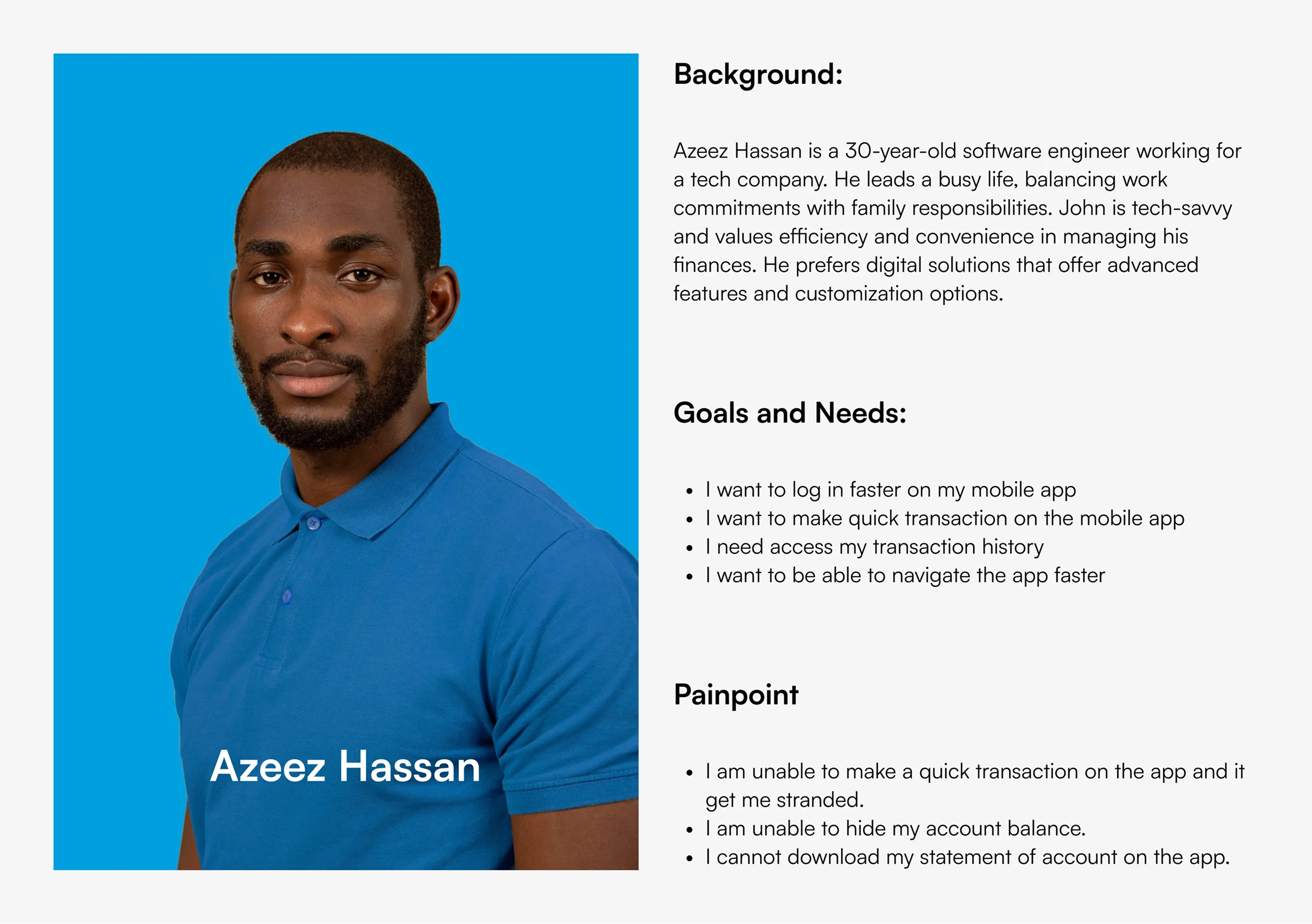
User Persona
User Reviews on Playstore
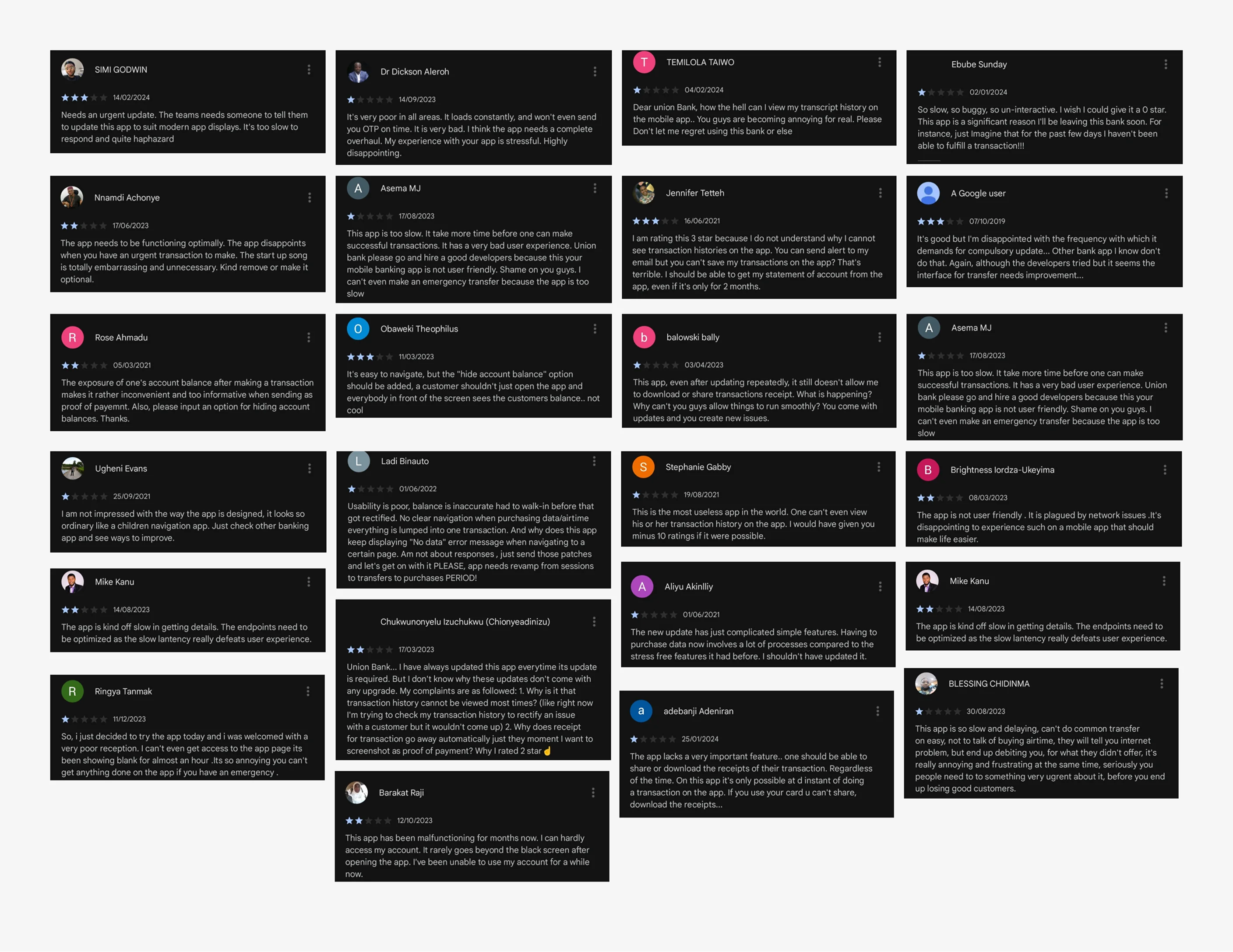
I reviewed the feedback from the users on playstore to understand the challenges they experienced while using the app. This were some of the challenges faced by the users on the app:
- The users find the app to slow.
- The users complained about a blank screen which takes minutes before they can get the log in screen.
- The users cannot view their transaction history.
- The users complained about bad user experience.
- The users cannot download statement of account.
- The users cannot hide their account balance.
User Interview
I interviewed a union bank mobile banking app frequent user. I interviewed the user to understand his pain and goals.
Here are some of the interview questions:
- Do you use the union bank mobile app?
- How often do you use the app?
- Can you describe your overall experience using our union bank mobile app?
- Which features do you often use on the app?
- Have you had any trouble with the app's performance?
- Is the app interface user-friendly?
- What improvements would you like to see added to the app in the future?
The problem he identified on the mobile app are:
- Delay logging in.
- Unable to download statement of account.
- Unable to hide account balance.
- The app performance is poor.
- Bad User experience.
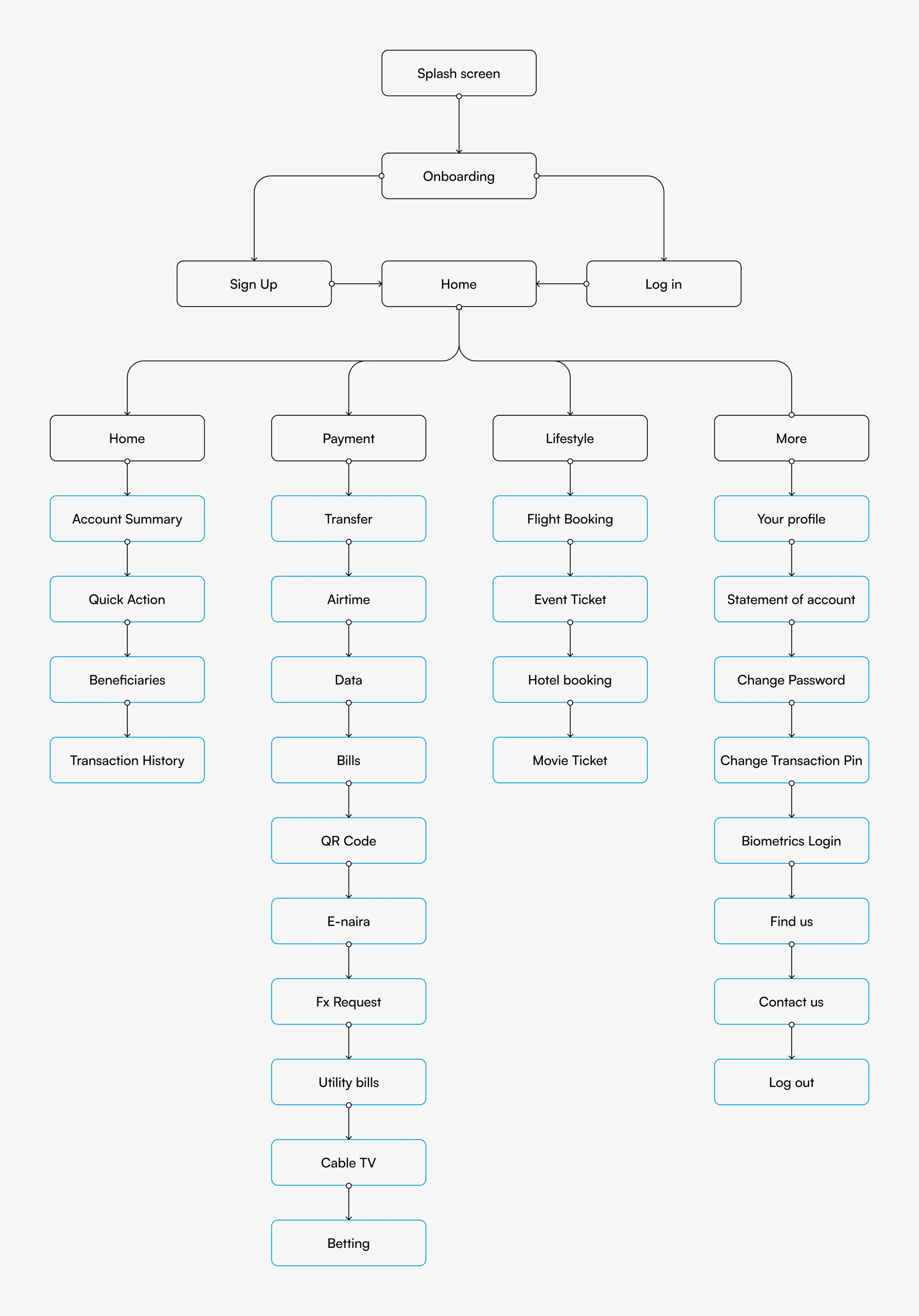
Information Architecture
The Solution
After the discovery of the problems through my research process, I start creating solutions to the problems. The problems i will be resolving are:
- Create a seamless log in.
- Create a user friendly find us screen.
- Simplify the home screen of the app for good usability.
- Improving the statement of account screen for easier access.
- Improving the user experience of the app for users.
Log In: In the proposed screen, I was able to simplify the sign in for the user with good user interface and user experience. The sign in experience will be seamless and easy for the users. Also, users can perform quick actions without fully signing in to the app.
Find Us: As you can see in the proposed screen I improved the visual hierarchy and added icons so it will be easier for users to navigate. I was able to simplify the interface for users.
Homepage: Looking at the proposed screen, the user interface is easy and simple for user. Based on feedbacks from user i improved the user experience and user interface so you can hide balance, copy your account number and make quick payment to your beneficiaries. You can also access your transaction history.
Statement of Account: With my proposed screen, i was able to allow users to download statement of account monthly and customize statement of account for any preferable period. It helps user access their statement of account without going to the bank.
Payment: In the proposed screen, i improved the icons and visual hierarchy to simplify it for users. The existing screen icons are so inconsistent and some icons are similar. I also renamed it payment so it will easier for users to understand.
Transaction History: I improved the user experience in the redesign screen. Users can sort out daily transaction history and also generate a transaction receipt by clicking on the transaction. Users can search and filter on the transaction history.
Usability Testing
Usability testing is a critical phase in the redesign of Union bank mobile banking app. I decided to test the design solution with some users.
Introduction of account details and add beneficiary: Users want to easily access account details which are account number and account level so as to share for transactions. Also users want to add beneficiaries on the home screen without having to send money.
Enhance the visual of statement of account: Users want to download monthly statement of account and customize statement of account to any preferred period on the app without going to bank. Most users want to know the downloading format of the file.
Visual designs
Outcomes & Key Learnings
The aim of the redesign is to improve the user interface and user experience. The redesign was done based on research and personal experience. The existing design has some flaws which i improved based of the research.
The redesign of the union bank mobile app helps the users have a smooth and easier banking experience. The new interface is useable, user friendly and has good user experience.
I would appreciate your honest reviews, feedback and questions.